
Free TikTok Text to Speech
Create TikTok text to speech that matches the first three seconds of the cut. Pick a girl voice or male voice, preview the TikTok TTS in your browser, then drop the MP3 into CapCut, Shorts, or a product clip. Downloads require an active paid membership.
- Girl voice, male voice, or POV reads
- Free TikTok text to speech preview
- MP3 ready for CapCut and Shorts
Choose a sample to fill the editor. Prompts disappear once you start typing.
How to Use TikTok Text to Speech
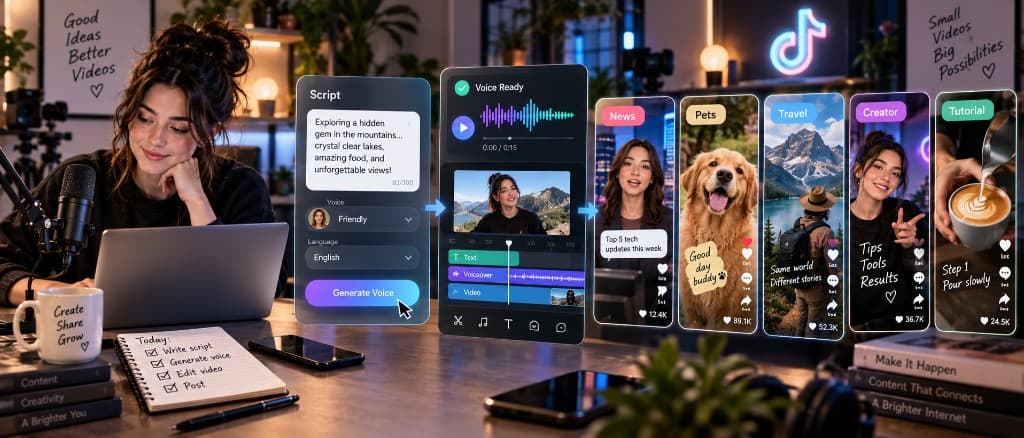
Turn a hook into ready-to-edit TikTok TTS. Paste the line, choose a girl voice or male voice, then generate and download the MP3.
- 01
Paste the hook or script
Add a finished caption, POV line, or short script to the TikTok text to speech editor. Keep the first sentence tight, and use commas or line breaks to control the pause before the next beat.
- 02
Choose the right TikTok voice
Pick a girl voice or male voice that fits the clip. Preview a short section for free to check TikTok TTS pacing, pronunciation, and whether the energy matches CapCut or a YouTube Short.
- 03
Generate and download the audio
Generate the full voiceover once the preview lands. Download the MP3 and drop it into CapCut, TikTok, Reels, or Shorts. Keep the same TikTok AI voice across a series so the account sounds familiar.
Why Choose This TikTok Voice Generator
A TikTok voice generator you can hear in the browser and download as MP3—built for hooks, POV clips, and repeatable series.
Pacing that matches the cut
TikTok TTS only works if the first two seconds stay punchy. Preview the opening line at 1.0x, tighten pauses, then generate the rest of the clip without rerecording the whole take.
Flexible short-form delivery
Use one TikTok AI voice generator for storytime, GRWM, reviews, and product demos. Switch between a girl voice and a male voice without leaving the same workflow.
Free browser preview
Preview news narration for free and check pronunciation, punctuation, and facts before export. Downloads require an active paid membership; paid plans include commercial use.
TikTok Text to Speech for Real Projects
The same TikTok voice text to speech workflow covers girl-voice hooks, male reads, Shorts, and longer voiceovers. Preview first, then export the file for the edit.
- 01
Girl-voice hooks and storytime
Use a TikTok girl voice generator for POV clips, GRWM, storytime, and product hooks. Preview the first line before generating the full take, then keep that voice across a series so viewers recognize the sound as soon as the video starts.
Create a girl-voice TikTok - 02
Male-voice reviews and explainers
A TikTok male voice works for reviews, explainers, comedy reads, and faceless clips. Match the delivery to fast cuts, check names and punchlines in the browser, then export an MP3 that sits cleanly under captions.
Create a male-voice TikTok - 03
Reels-style cuts and drafts
Use the same short-form pacing for TikTok drafts and Reels-style cuts. Keep the hook under three seconds, preview against the edit, then export audio for CapCut when the take is ready.
Create a Shorts voiceover - 04
Longer walkthrough voiceovers
A TikTok voiceover generator is for clips that need more than a one-line hook: tutorials, listicles, and product walkthroughs. Generate section by section so a rewritten sentence does not force a full re-export, then drop the approved MP3 on the timeline.
Create a TikTok voiceover
TikTok Text to Speech FAQs
Related Voice Tools
Ready for a hook that matches the cut?
Paste a hook, pick a girl voice or male voice, and preview the TikTok TTS before you export.
Generate TikTok Voice